

Compliance Built Around Desktop Accounting Workflows
How QuickBooks Desktop E-Invoicing Works with Advintek
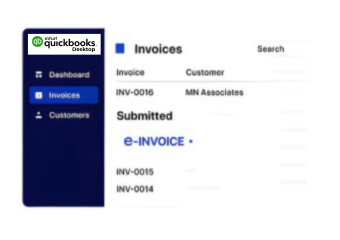
- Invoice Capture: Invoice data is securely captured from QuickBooks Desktop without replacing established accounting and billing workflows.
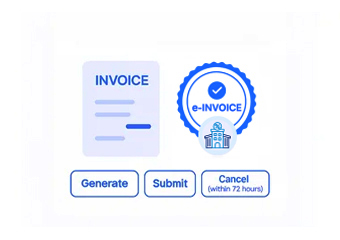
- Compliance Validation: Required invoice fields are checked against UAE e-invoicing requirements before invoices move toward regulatory exchange.
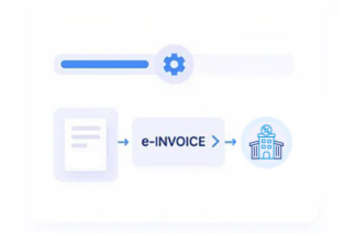
- Data Transformation: Accounting records are transformed into structured invoice formats aligned with applicable UAE and Peppol specifications.
- Compliant Exchange: Validated invoices move through the required compliant infrastructure for secure electronic exchange and regulatory reporting.
- Response Tracking: Processing responses are captured centrally, giving finance teams clear visibility into invoice status and exceptions.
What Does the QuickBooks Desktop Connector Enable?
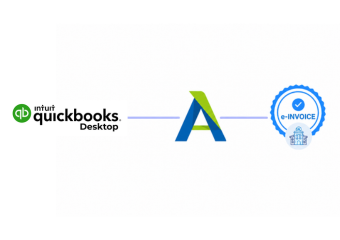
Advintek bridges QuickBooks Desktop with the compliance infrastructure required for e invoicing UAE, allowing businesses to retain familiar accounting workflows while enabling structured invoice validation, transformation, exchange, and reporting.
- Captures invoices from QuickBooks Desktop securely
- Checks UAE invoice compliance requirements automatically
- Structures accounting data for compliant exchange
- Routes invoices through compliant Peppol infrastructure
Why QuickBooks Desktop Businesses Choose Advintek
- Desktop Workflow Continuity: Retain established QuickBooks Desktop accounting processes while adding UAE e-invoicing capabilities around existing invoice operations.
- Compliance Automation: Reduce manual compliance checks through automated invoice validation, data structuring, and controlled electronic submission workflows.
- Exception Visibility: Identify validation failures and invoice exceptions early, helping finance teams resolve issues before compliant exchange.
- Implementation Control: Introduce UAE e-invoicing without forcing businesses to migrate immediately to separate online invoicing software.
- Scalable Compliance: Support increasing invoice volumes through structured processing designed to extend beyond manual desktop accounting workflows.
One Compliance Layer for Every Invoice
Invoice Error Management
Detect missing or incorrect invoice data before submission and route exceptions for timely correction.
Compliance Dashboard
Monitor validation results, invoice statuses, and processing histories through centralized reporting built for audit visibility.
Regulatory Support
Maintain compliance workflows as UAE e-invoicing requirements and Federal Tax Authority specifications continue to evolve.
Built for QuickBooks Desktop Users in UAE
Designed for UAE businesses that rely on QuickBooks Desktop for accounting but require structured e-invoicing without replacing familiar financial workflows. Ideal for finance teams, SMEs, accountants, and growing businesses.
- Desktop-based accounting and billing teams
- SMEs managing recurring customer invoices
- Finance teams requiring compliance automation
- Businesses retaining existing accounting infrastructure
UAE E-Invoicing Without Accounting Disruption
Prepare QuickBooks Desktop invoices for UAE requirements without replacing the accounting workflows your finance team already uses.
Connected to UAE compliance infrastructure. Managed through Advintek.
Ready e-Invoice System
Frequently Asked Questions QuickBooks Desktop e-Invoicing UAE
1. Can QuickBooks Desktop meet UAE e-invoicing requirements on its own?
QuickBooks Desktop is primarily accounting and invoicing software and should not be treated as the complete compliance infrastructure required for UAE e-invoicing. Advintek adds the integration and compliance layer needed to validate invoice information, transform accounting data into required structured formats, support compliant electronic exchange, and maintain processing visibility while businesses continue managing their core accounting activities within QuickBooks Desktop.
2. How does QuickBooks Desktop e-invoicing UAE work with Advintek?
Advintek connects QuickBooks Desktop invoice data with the compliance processes required for e invoicing in UAE. Invoice information is captured from the accounting workflow, checked against applicable UAE requirements, transformed into the required structured format, and routed through compliant electronic exchange infrastructure. Processing responses and exceptions are then captured for monitoring, giving finance teams better control without replacing their existing QuickBooks Desktop accounting environment.
3. Do businesses need to replace QuickBooks Desktop for UAE e-invoicing?
Not necessarily. Businesses can retain QuickBooks Desktop as their accounting environment while using Advintek as the integration and compliance layer around it. This approach allows finance teams to preserve familiar invoice creation and accounting processes while adding structured validation, data transformation, compliant exchange, and reporting capabilities required for UAE e-invoicing. The appropriate integration architecture ultimately depends on the company’s QuickBooks Desktop configuration and invoice processes.
4. Will UAE e-invoicing change how finance teams create invoices in QuickBooks Desktop?
The objective is to minimize changes to established finance processes. Teams can continue preparing invoice information through QuickBooks Desktop while Advintek manages downstream compliance functions such as validation, structured data transformation, electronic exchange, and status monitoring. Some workflow adjustments may be required where existing invoice records lack mandatory UAE e-invoicing data fields, but businesses do not need to redesign their entire accounting process solely for compliance.
5. How does Advintek validate QuickBooks Desktop invoices before submission?
Advintek checks invoice information against the applicable UAE e-invoicing requirements before compliant exchange. Validation can identify missing mandatory information, incorrect data structures, formatting issues, or other conditions that could prevent successful processing. Finance teams can address exceptions before invoices progress further, reducing dependence on manual checking and creating a more controlled compliance process around invoices originating from QuickBooks Desktop.
6. Can QuickBooks Desktop support recurring and higher-volume e-invoicing?
QuickBooks Desktop businesses handling recurring or increasing invoice volumes can use Advintek to automate compliance activities surrounding those transactions. Rather than manually reviewing and processing each e invoice UAE, invoice data can move through standardized validation, transformation, and exchange workflows. This becomes particularly valuable as transaction volumes increase because manual compliance processes can create bottlenecks, inconsistent checks, and limited visibility into invoice processing outcomes.
7. How are rejected or invalid QuickBooks Desktop invoices handled?
When an invoice fails validation or encounters a processing exception, Advintek can surface the relevant issue so finance teams know what requires correction. The underlying invoice information can then be corrected through the appropriate accounting workflow before being processed again. This creates a controlled exception-management process instead of forcing users to manually investigate failures across disconnected systems, improving both processing efficiency and compliance visibility.
8. Does QuickBooks Desktop need an API for UAE e-invoicing integration?
The integration method depends on the specific QuickBooks Desktop environment, available interfaces, deployment configuration, and the business’s invoice workflow. Advintek can establish the required connection architecture to move invoice information from QuickBooks Desktop into UAE e-invoicing compliance processes. The objective is reliable data exchange without forcing the business to replace its accounting system simply to meet the UAE e-invoicing mandate.
9. Can Advintek provide invoice status visibility for QuickBooks Desktop users?
Yes. Advintek adds centralized visibility around invoice validation, processing responses, exceptions, and submission history, reducing dependence on manual tracking. Finance teams can understand which invoices have progressed successfully and which require attention. This is particularly useful for businesses using desktop accounting environments because regulatory processing visibility can be managed through the compliance layer rather than requiring QuickBooks Desktop itself to perform every e-invoicing function.
10. How should QuickBooks Desktop businesses prepare for the UAE e-invoicing mandate?
Businesses should first assess invoice data quality, mandatory fields, transaction types, customer information, existing billing processes, and how invoice records can be extracted from QuickBooks Desktop. They should then establish a compliant integration path for validation, structured transformation, electronic exchange, exception handling, and reporting. Preparing these components early reduces implementation pressure and helps align existing accounting workflows with UAE e-invoicing requirements without unnecessary system replacement.